Help Improve the Khmer Spelling Checker

One of the missing features in Hunspell (the program used for the Khmer spelling checker) is that when two words are incorrectly joined together it suggests the two words be split into two separate words with a space between them. This causes more work for the user as they need to then delete the space and add a zero-width space in its place. We requested a feature change in Hunspell to suggest a zero-width space between words for Khmer rather than a visible space.

Please help get this change into Hunspell by adding your support in the comments on this feature request here: Hunspell Feature Request for Khmer Spelling Checker

Google Translate in Khmer

Google translate now supports Khmer!  Check it out here: http://translate.google.com

google-translate-khmer1


Currently it is only in Alpha which means there are still problems with the translations. But you can help make it better!  Read more here: https://support.google.com/translate/toolkit/answer/147844?hl=en

Also, here is another article in Khmer with helpful information: http://it4ug.net/2013/04/19/improve-khmer-google-translate/

SBBIC Collaborative Translation Portal

We’ve just opened up a Khmer translation portal at Crowdin.net

The purpose is to collect as many translated documents as possible to import both into the translation memory as well as build the term glossary so that current and future translation projects can be based on the work of what has already been done in the past. Software translation can be difficult, but since some software has already been translated into Khmer, there is quite a bit of cross-over, so by using the Crowdin site, you can benifit from the collaborative work of others.

The translation memory currently has 27,921 strings, and the term glossary has 4,482 terms with more on the way. All these tools can be edited by users, as we as downloaded for use in other programs.

Visit: the SBBIC Collaborative Translation Portal on Crowdin.net

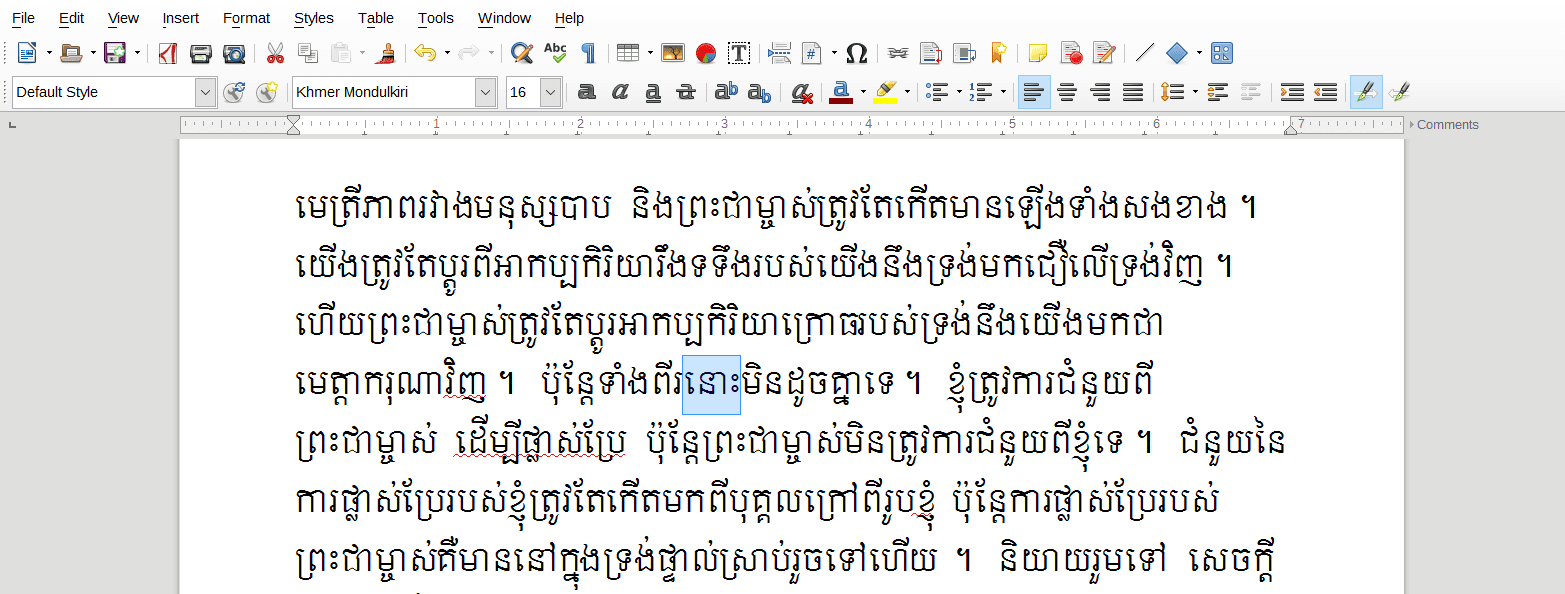
New SIL Mondulkiri Khmer Unicode Font Solves PC Mac Compatibility Issues

If you have ever tried viewing a Khmer Unicode document on a PC that was created on a Mac you might find that the font fails to render correctly. This is because Mac fonts do not completely follow the rules for Khmer Unicode in the same way that PC’s do.

But now Didi from SIL has revised his Mondulkiri font to deal with this issue.  By using the Mondulkiri font, it will force you to type Khmer Unicode in a way that it will display correctly on both PC and Mac. This is a great step forward for Khmer Unicode.

Go to the SIL website to download the latest Mondulkiri font: The Mondulkiri Font Family on SIL

Please Excuse Our Mess

We are in the process of updating our site, and in the mean time, some portions of the site will not work. Please bear with us – we hope the new site will load faster and better help you find solutions to creating better books in the Khmer language.

SBBIC Khmer Unicode Keyboard for Mac OS X

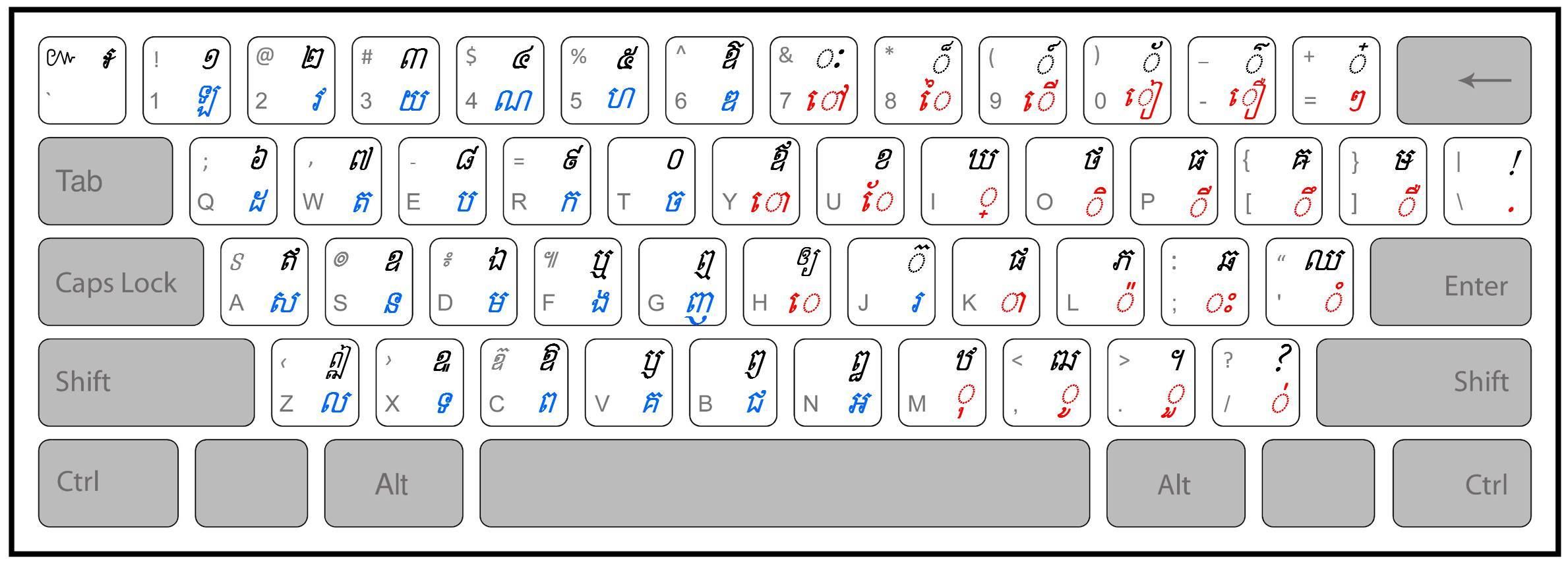
We recently ported our SBBIC Khmer keyboard to Mac. We added a colon symbol (“:” with right ALT+L or OPTION+L on Mac) as well as a dash (“-” with right ALT+D or OPTION +D on Mac). The keyboard is based on the Khmer OS and NiDA keyboard.

1. Unzip the keyboard layout by either simply double clicking the zipped file or by using other software like StuffIt. Safari unzips automatically.
2. The keyboard will either have the extension .keylayout
3. In the Finder, choose Go > Computer or type Shift-Command-C. This opens up your account folder.
4. Expand the Macintosh HD item, then the Library item, scroll down to find Keyboard layouts.
5. Drag the keyboard layout you saved earlier into the Keyboard layouts list.
6. Log off the computer or restart it.
7. Open System Preferences > Language and Text. Click the Input Sources tab. Scroll down until you find Khmer SBBIC V2. Make sure the checkbox is selected. The layout is now ready to use.
8. To access the key layout, click on the flag at the top of your screen at the right hand corner, Select the keyboard layout from the list. Or type Command-Space to scroll through your language options.
9. The keyboard will be listed as Khmer SBBIC V2.
10. If you cannot find a letter, click on the flag at the top of your screen at the right hand corner, Select Show Keyboard Viewer

DOWNLOAD: SBBIC Keyboard 1.0 for Mac OS X

InDesign Script to Enable Khmer Numbering

Want to use Khmer numbering for page numbers in InDesign? Download this script and place it in the InDesign scripts directory. When you run the script you should see a new paragraph style called “Khmer” which will use Khmer numbering if applied as the page numbering paragraph style. Let us know if you have any questions in the comments.

DOWNLOAD: InDesign Script to Enable Khmer Numbering

We need your help!

There are two bug requests that we would like to see fixed in LibreOffice that would benefit Khmer.  Would you take the time by commenting on each bug stating reasons why it is important that it be fixed?

Here are the two bugs:

1) While LibreOffice can automatically line-break Khmer, currently it cannot correctly check spelling without a user manually inputtng zero-width spaces – we would like to see this fixed so that users no longer have to type zero-width spaces between Khmer words in order to use the Khmer spelling checker:
Update: THANK YOU! This bug has been fixed!

2) Complex Text Layout (CTL) should be enabled by default in LibreOffice (Khmer Unicode is a complex text): https://www.libreoffice.org/bugzilla/show_bug.cgi?id=47969

Thank you for your time!

តើ​យើង​អាច​ចុះ​បន្ទាត់​បន្ទាប់​មាន​បន្តក់​បាន​ដែរ​ឬ​ទេ?

តើយើងអាចសរសេរពាក្យមួយដែលមានពីរព្យាង្គ ដោយព្យាង្គទីមួយបញ្ចប់ដោយបន្តក់ ឲ្យដាច់ពីព្យាង្គទីពីរដោយការចុះបន្ទាត់នៅពេលណាដែលព្យាង្គនោះសរសេរហួសរឹមបន្ទាត់ក្រដាសបានដែរឬទេ?

ឧទាហរណ៍ទី១៖ ស្រស់ស្រាយ
ពេលព្រឹកព្រលឹម ពេលដែល
យើងមើលទៅព្រៃព្រឹក្សា
យើងនឹងមានអារម្មណ៍ស្រស់
ស្រាយនៅក្នុងចិត្តរបស់យើង។

 ឧទាហរណ៍ទី២៖ ផ្គត់ផ្គង់
ផលិតផលកសិកម្មរបស់
ប្រទេសកម្ពុជានាពេល
បច្ចុប្បន្នបានផ្គត់
ផ្គង់ប្រជាជនខ្មែរទាំង
មូលយ៉ាងបរិបូរណ៍។

សូមបោះឆ្នោតខាងក្រោមនេះ៖

Automatic Line-Breaking for Khmer Now Available!

We are pleased to announce that LibreOffice Pre-Release 3.6 (Download: LibO-Dev_3.6.0.0.beta2_Win_x86_install_multi.msi or newer) now incorperates the latest ICU version which has the ability to automatically line-break Khmer Unicode (which we posted about previously here). This means you no longer have to manually add a zero-width space between words in order to correctly line-break in your documents! The screen-shots below show a sample LibreOffice document in LibreOffice 3.5 (that does not automatically line-break Khmer), a document with manual zero-width spaces added, and a document in LibreOffice Dev 3.6 with automatic Khmer line-breaking. As you can see the results are looking good!

LibreOffice Without the New ICU Automatic Khmer Line-Breaking

LibreOffice with Manual Word-breaks Added

LibreOffice Dev 3.6 With Automatic Khmer Line-Breaking

The automatic word-breaking does not yet currently work for spell checking, so in order to spell check in Khmer you will still need to continue to manually add zero-width spaces between words – but this is a great step forward for the Khmer language on computers! And hopefully in the near future we will no longer need to manually add spaces between words in Khmer in order to spell check.
Please try out the new LibreOffice pre-release and let us know how it works for you. Any issues you have with line-breaking (if something breaks incorrectly), please let us know in the comments so we can work towards debugging and increase the accuracy of the word-breaker in ICU. Special thanks to George for helping us make this a reality.

SBBIC Khmer Word Breaker Using ICU

We’ve been working on getting code into ICU to allow Khmer Unicode to automatically break between words and the newest release of ICU now includes a Khmer word breaker.  But access is difficult (unless you are a programmer).  So we have made a small program that uses ICU and will allow you to use the Khmer word breaker in Linux (Windows will come soon).  We’ve only tested this on Ubuntu 11.x so please test it and let us know if you have any problems. There is still room for improvement, so please let us know how it works for you.

The word-breaker is currently dictionary based, so it will work best on documents that have correct spelling.  In the future we hope to add additional programming that will better deal with “unknown” words.

To use the program in Ubuntu place the Unicode .txt file you want to break in the same directory as sbbic-khmer-breaker.out and open the console to the directory where sbbic-khmer-breaker.out is located and type: ./sbbic-khmer-breaker.out yourinputfile.txt youroutputfile.txt (changing the names of the text files to the names you desire).

Again, if you have any issues, please don’t hesitate to ask in the comments.

DOWNLOAD: SBBIC Khmer Word Breaker Using ICU (665)

Latest Khmer Grammar Checker for OpenOffice and LibreOffice

This latest release includes the ability to ensure all quotes and brackets have been closed as well as adds some additional word-coherency checks (to make sure you followed the same style of spelling throughout your document – our list adheres to Chuan Nath’s spelling whenever possible).

This extension can be used with:
OpenOffice
and
LibreOffice
which are both free, and opensource word processors.

Please let us know in the comments if you have any trouble, or would like any additions to the grammar checker.

DOWNLOAD: SBBIC Khmer Grammar Checker (30181)

Tatoeba: Online Sentence Collaborative Dictionary with Khmer

We just came across a site called Tatoeba that is a community designed to create an online sentence dictionary.  Khmer has not been officially added, but it is in the works (you can add your own sentences and translations and then add them to the public Khmer list here: http://tatoeba.org/eng/sentences_lists/show/765

Visit: Tatoeba

Read the Christian Khmer Bible Online

The two versions of the Khmer Bible can now be viewed online for free in Unicode!

Special thanks to Maurice Bauhahn and the Bible Society in Cambodia!


Please Excuse Our Mess

The multilingual portion of our site is in the process of being updated. Please excuse the mess as we update our site. We hope the new features will remove some of the problems our users have been having with the Khmer portion of the site. If you are interested in helping with translation of the site, please let us know in the comments.

Thank you!

Khmer Spelling Checker for Adobe InDesign CS 5.5

UPDATE: Our solution does not yet work perfectly – line-breaks do not work with a hair space, so we are still in the process with Adobe trying to find a solution that will work without any issue.

With the release of InDesign CS 5.5 Hunspell dictionaries are now supported.  This means we can use the SBBIC spelling dictionary with InDesign!  There are some issues though, because InDesign was not tested fully with Khmer, but we are able to get around them (even though it makes things a bit complex).  Right now our solution is MAC ONLY because I don’t have my PC here with me – but we will include PC instructions soon (and they won’t me much different than the Mac instruction).


Here are the files you will need:


File 1: Khmer Mac Unicode Keyboard for InDesign by SBBIC (832)


File 2: World Composer Template Files (588)
Thanks to: http://www.thomasphinney.com/2009/01/adobe-world-ready-composer/ for these templates


File 3: SBBIC Khmer Spelling Dictionary 1.4 for InDesign (837)

And here is the video tutorial: